Work / Operations dashboard
Operations dashboard
An office dashboard and an engineer's phone app for a firm that services boilers, appliances and air conditioning.
It runs in your browser. Anything you change stays on your device and can be reset from the menu. The firm, people and data are fictional.
The need
Whitcombe & Rudd is a made-up heating, appliance and air-conditioning firm in Bristol: eleven engineers, between 40 and 55 jobs a day.
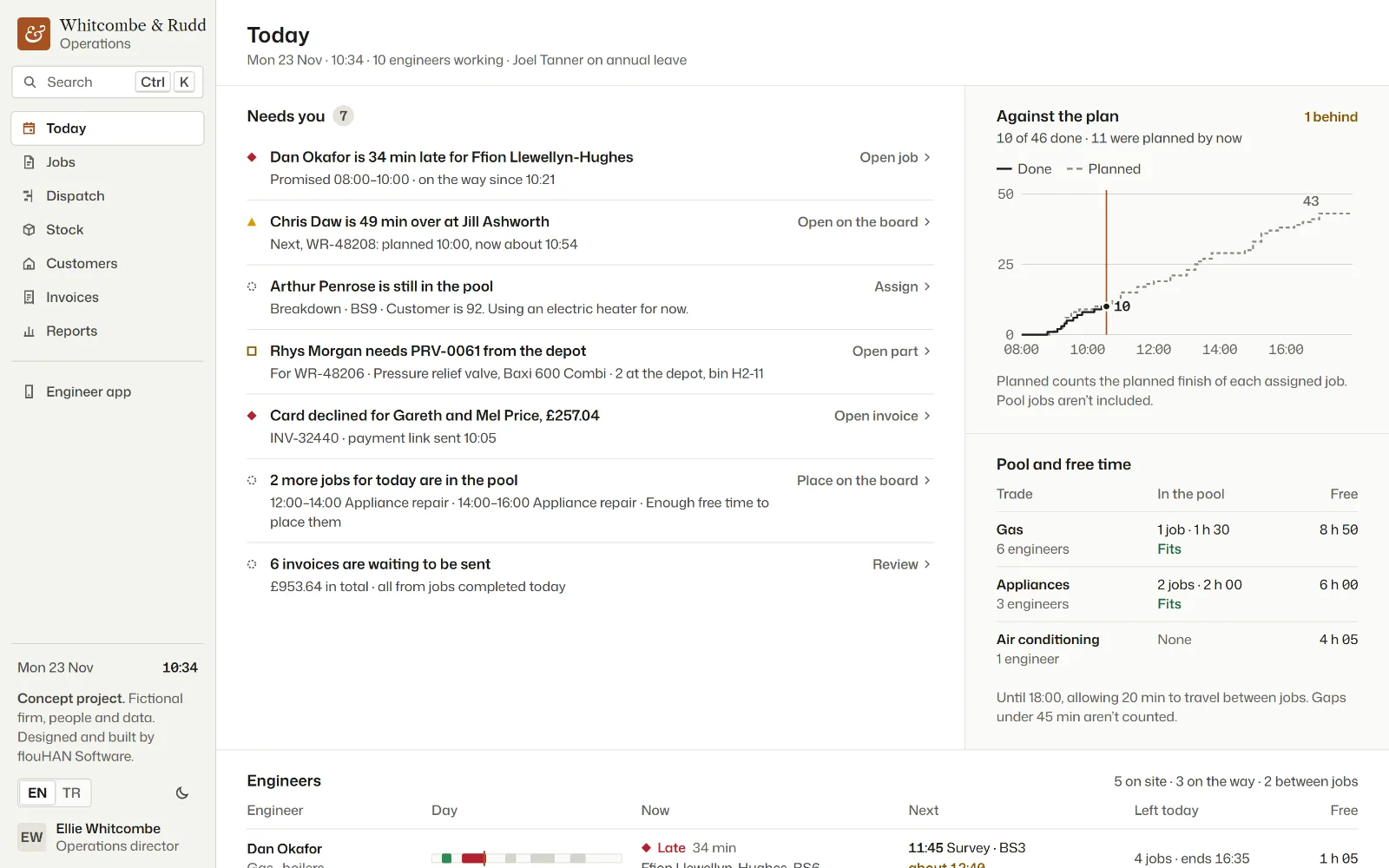
By nine on a Monday the office wants answers to a few questions:
- Who is running late?
- Which job has overrun, and what does that do to the next one?
- Who can take the urgent call still sitting in the tray?
- Which invoices haven't been paid?
In most firms that information is spread between phone calls and a spreadsheet.
Decisions
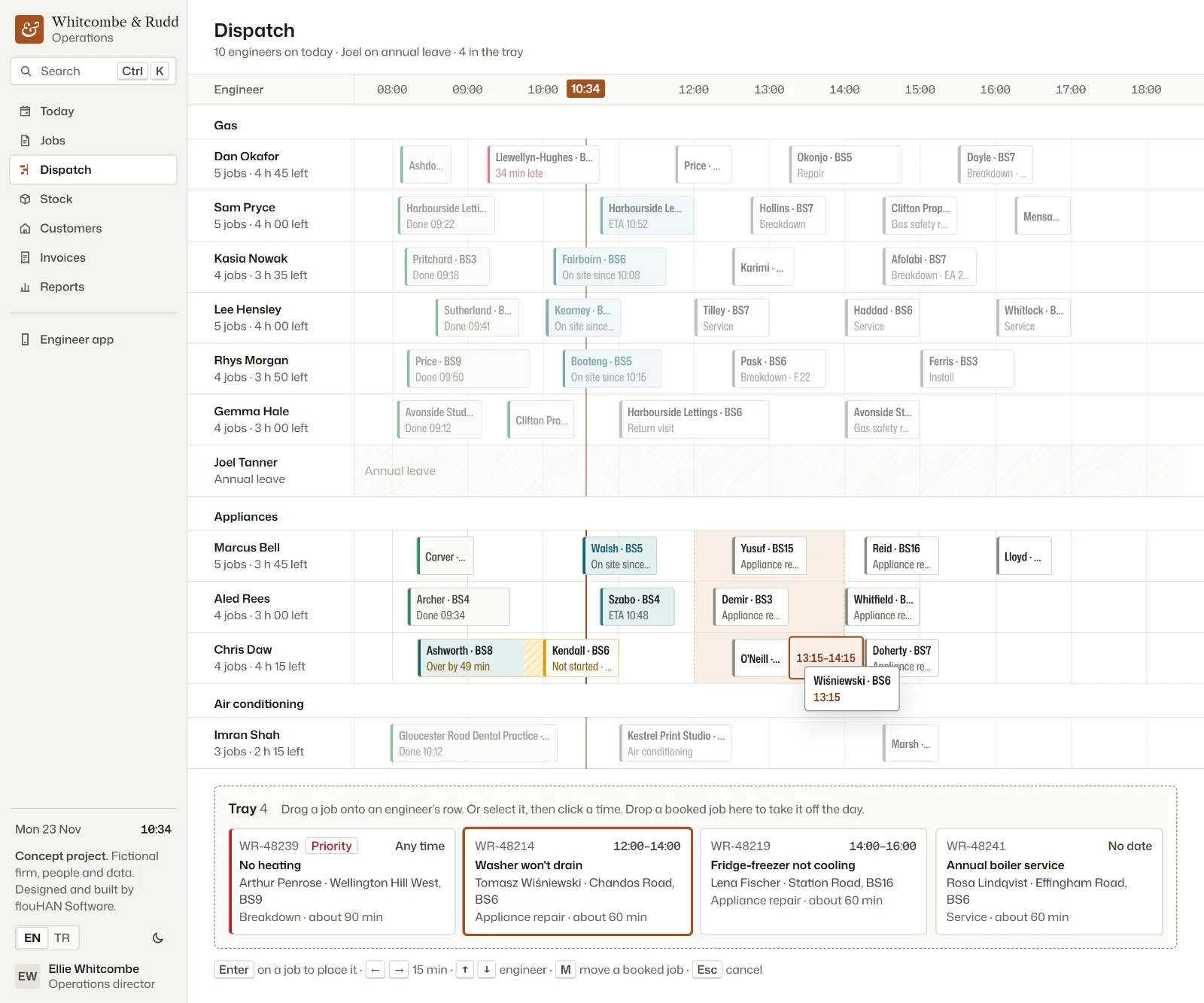
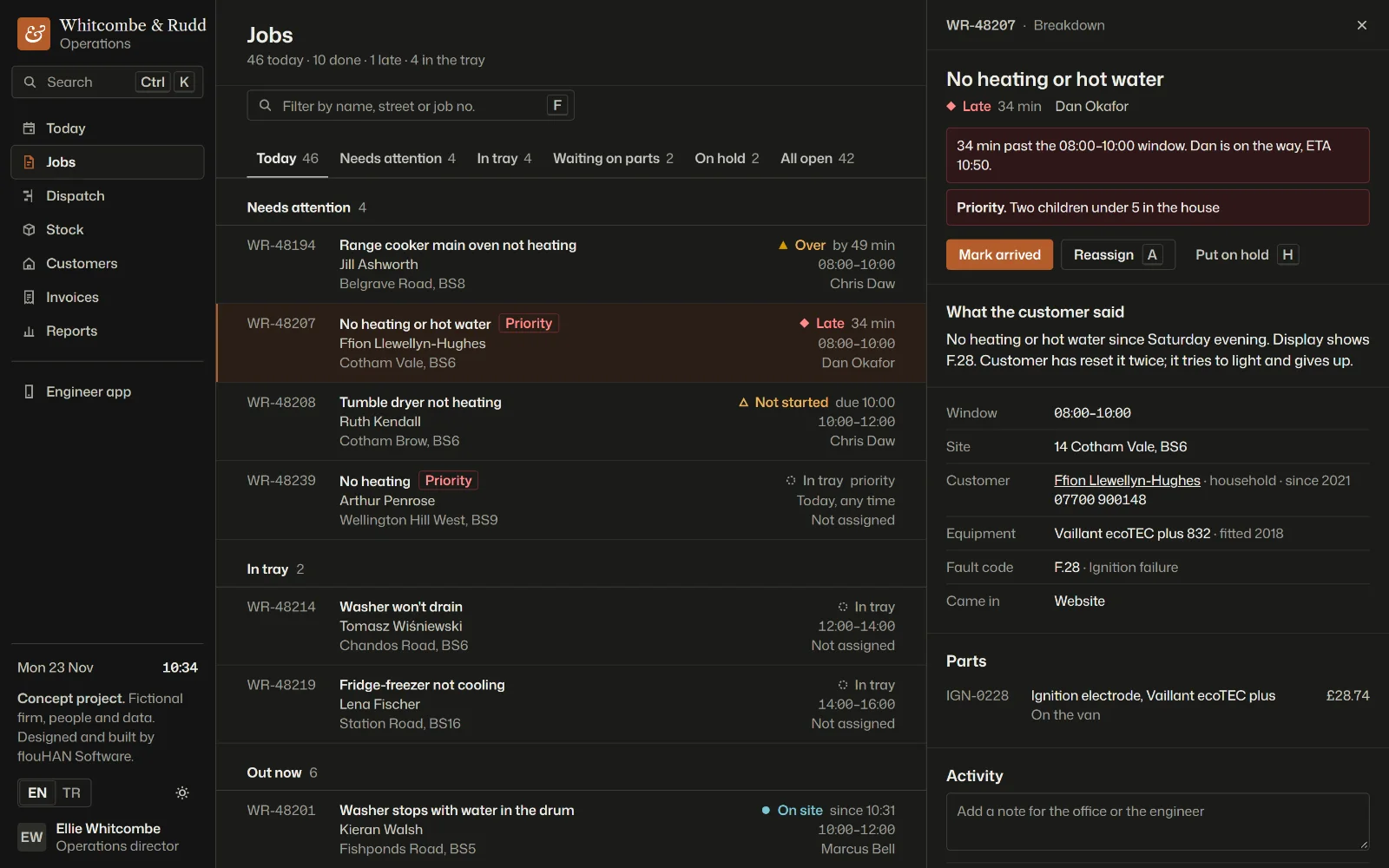
- Colour only ever means status. Every status also has its own shape and a word, so "Late" still reads for someone who can't tell red from green.
- While a job is dragged across the board, the arrival window promised to the customer lights up. Drop it outside that window and the board asks whether to text the customer a new time.
- The home screen opens on a short list of what needs attention right now, and each line takes you to the screen where it gets sorted.
- It works from the keyboard: J and K move between rows, Ctrl+K gets you to any screen.
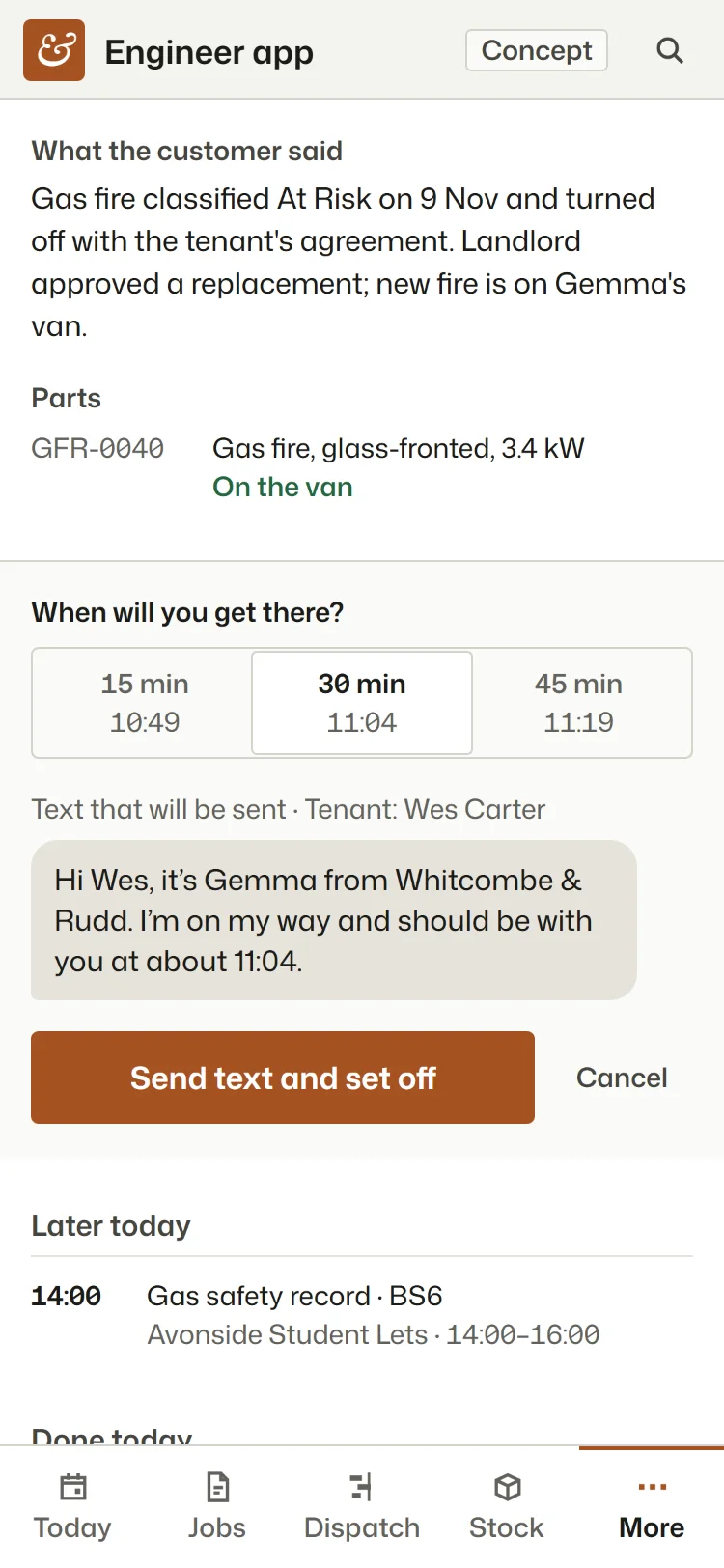
- The engineer's screen is built for one hand on a phone, with the main button where the thumb already is.
- The interface is in English and Turkish, with a light and a dark theme.
Result
A demo that runs in the browser and can be used end to end.
The screens are connected. When an engineer finishes a job on the phone, it closes on the board and a draft invoice lands with the office. Whatever parts were used come off the van stock as well.
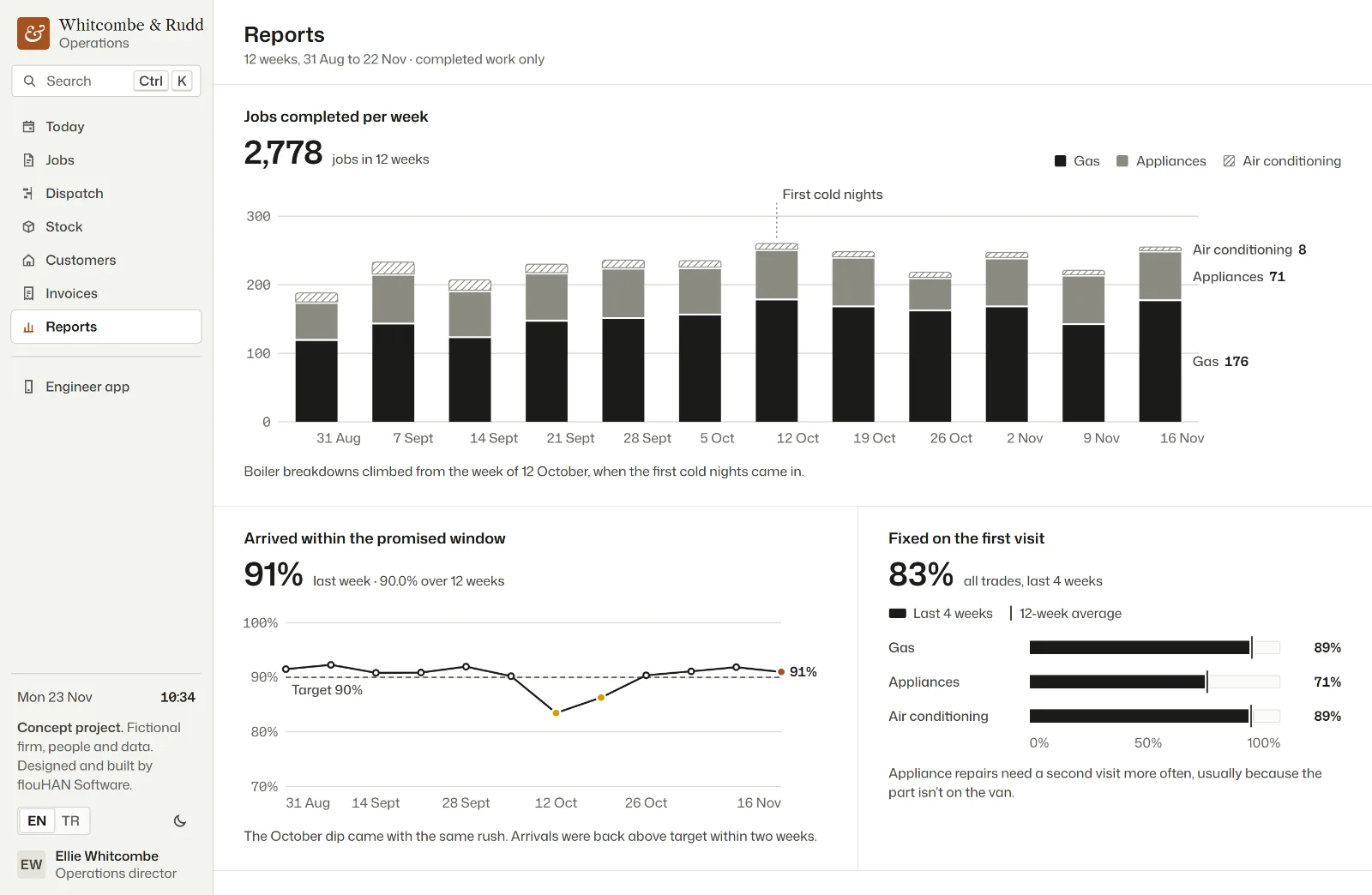
A reports screen covers the last 12 weeks with charts and a table per engineer. The first cold snap of October is marked on the chart, in the week its effect shows up.
Every screen is checked automatically at 1440, 1024 and 375 pixels, in both languages and both themes, including against the WCAG 2.1 AA accessibility rules.