Work / Document assistant
Document assistant
For an insurer’s staff: an assistant that answers only from the company’s own documents and shows the source behind every sentence.
The demo opens straight on the Ask screen as a claims handler; the other three roles are a click away in the menu. You can add a PDF or Word file of your own and ask only that document, and the file stays in your browser. Answers are written by Gemma 4. If the free daily allowance runs out, the demo switches to search in the browser and says so on screen. The insurer, people and documents are fictional.
The need
Tolka Insurance is a made-up home insurer in Dublin. Its policy wording, claims manual, authority limits, call guides and complaints procedure are separate documents, each with its own owner.
An agent on a call needs a straight answer, there and then, to questions like these:
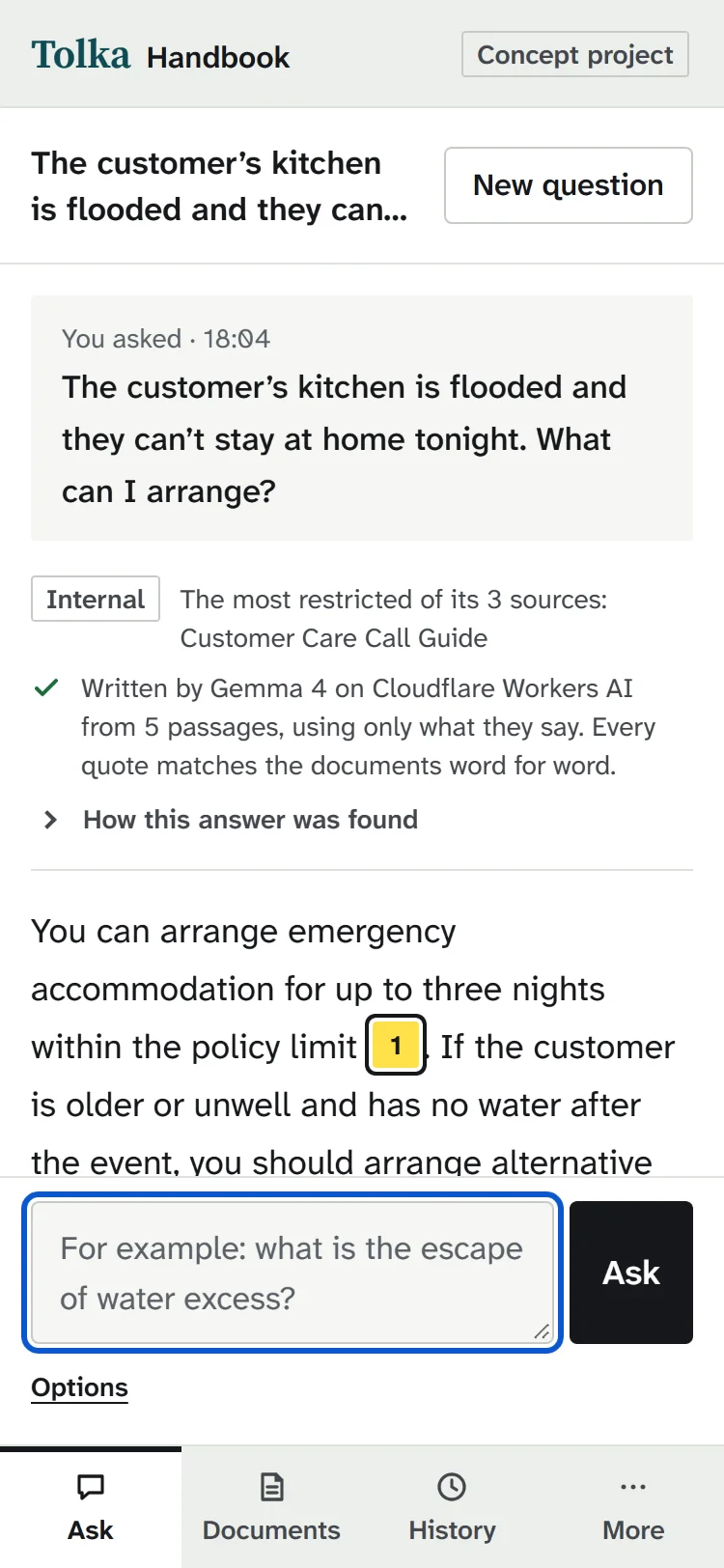
- The customer’s kitchen is flooded and they can’t stay at home tonight. What can I arrange?
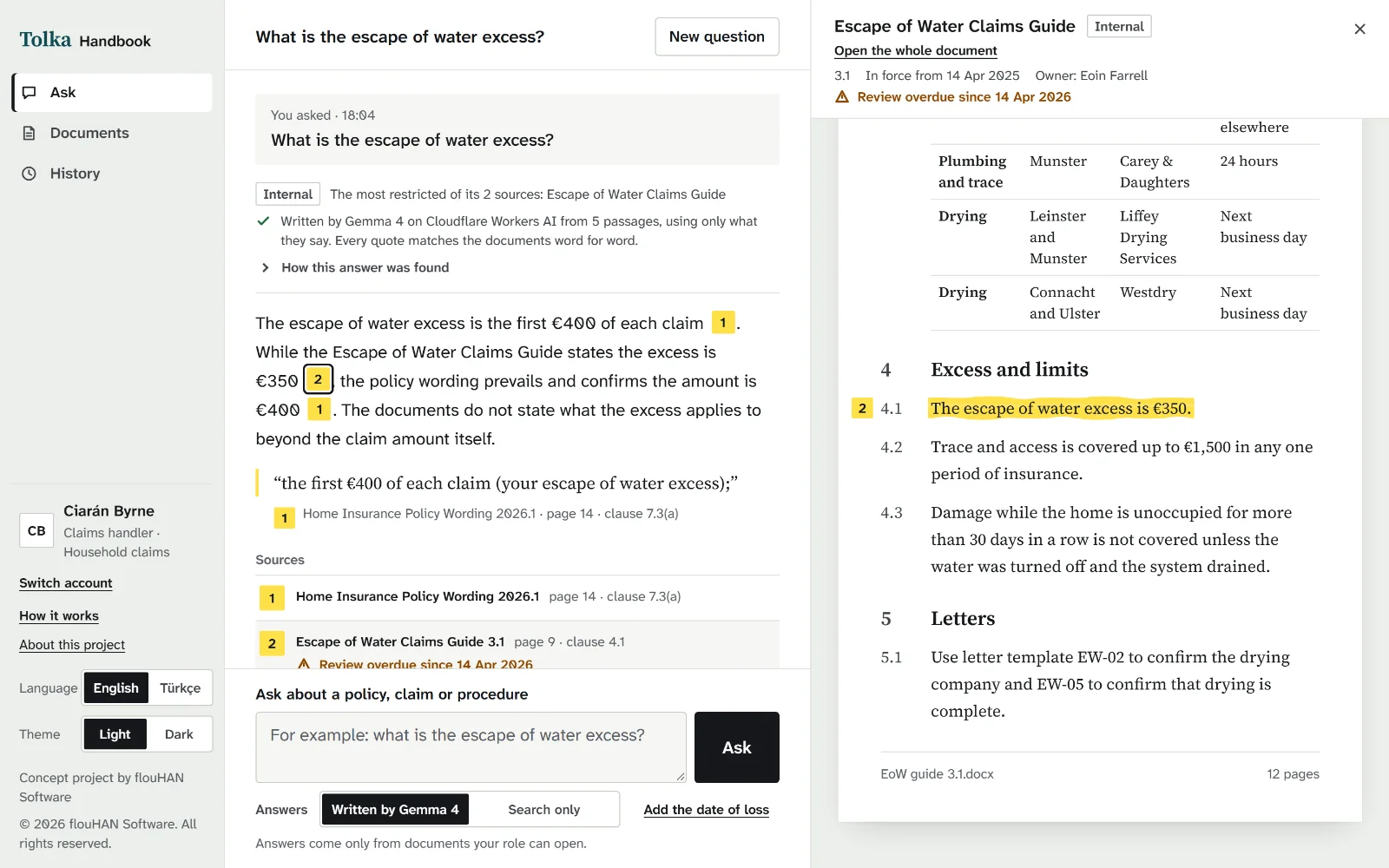
- Is the escape of water excess €350 or €400?
- If the leak happened in February, which wording applies?
- Can a claims handler pay a €12,000 buildings claim on their own authority?
The answers are in the documents. What takes the time is finding the right version, the right clause, and a document this person is actually allowed to read. A general chatbot will answer with confidence and no source, and an insurer can’t work from that.
Decisions
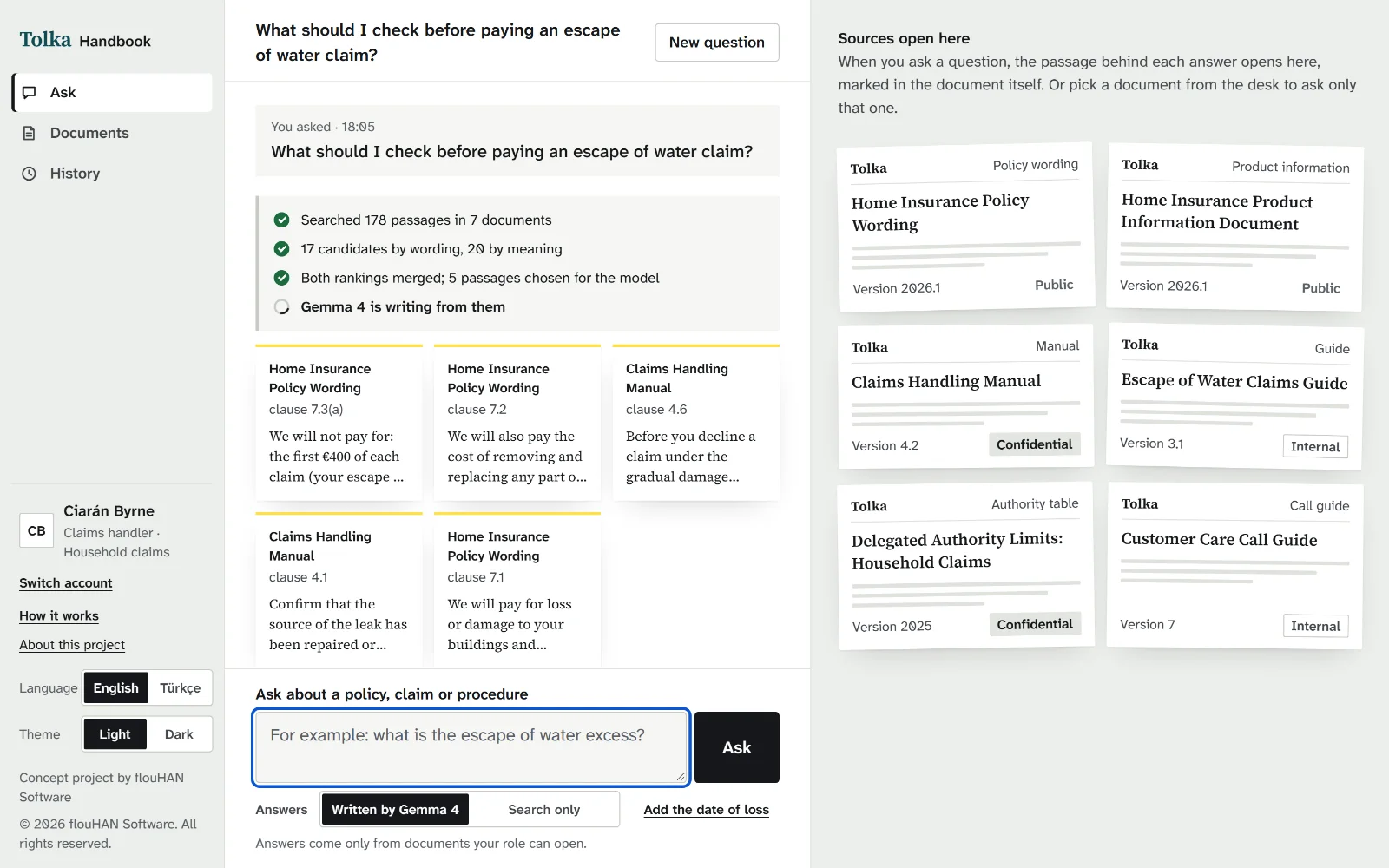
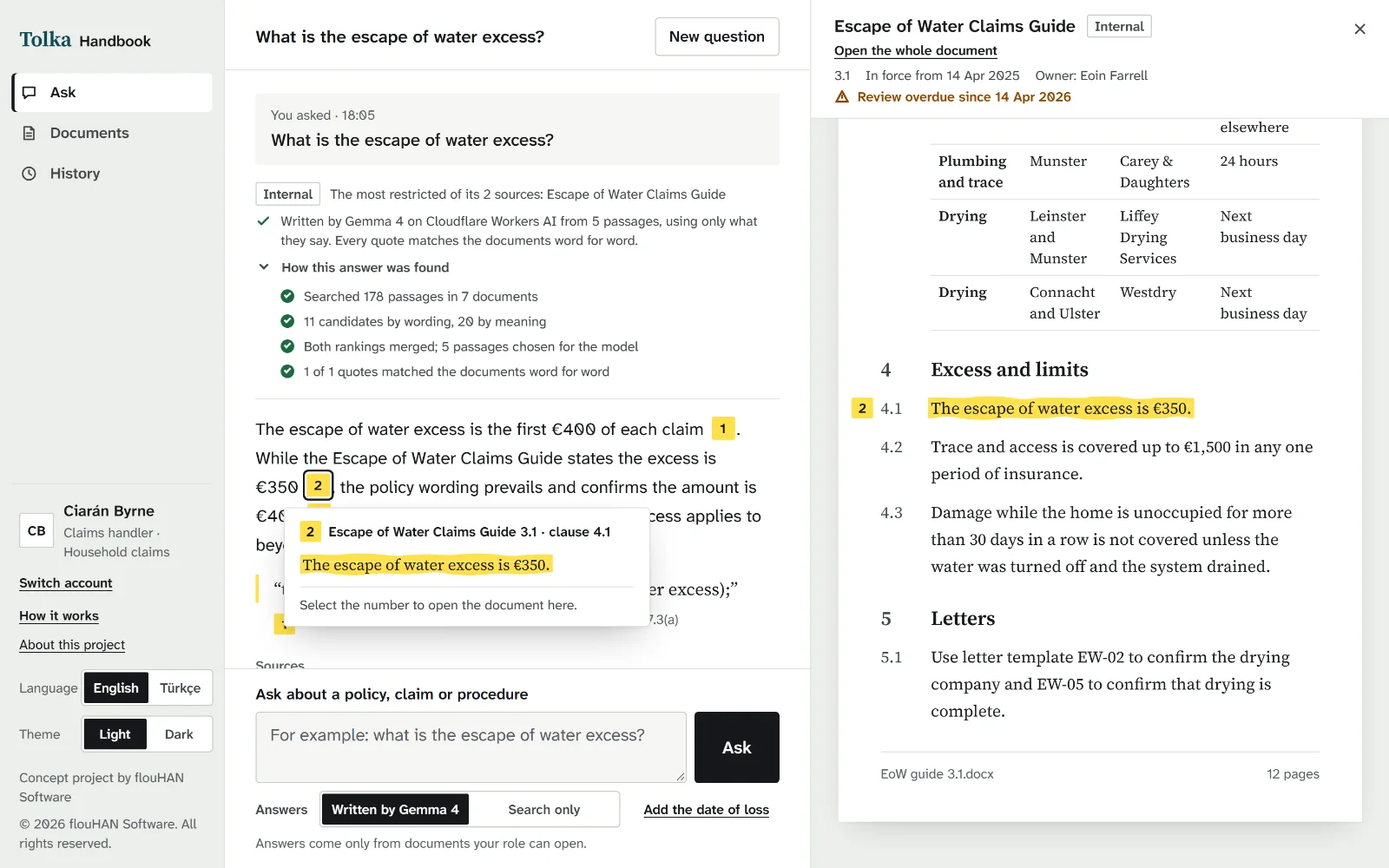
- The assistant writes only from the passages it found, and every claim carries a source number. Before it writes, the screen shows the work: how many passages in how many documents were searched, how many candidates turned up by wording and by meaning, and which passages went to the model. The chosen passages line up as small paper cards, and the answer streams in beneath them. Source numbers and quotes are added once it has been checked.
- Point at a number and the passage appears on a small slip; it opens from the keyboard too. Click the number and the document opens at that clause, with a highlighter stroke drawn across it from left to right. Every transition shares the same timing and easing, and with reduced motion switched on, nothing moves.
- Passages are found two ways, by wording and by meaning. Someone asking in Turkish that the customer “can’t stay at home” still finds the English clause that says “cannot be lived in”. The two rankings are merged and the best five passages go to the model.
- The assistant’s own words are set in plain type. The document’s words appear in quotation marks, in a serif. Each quote is checked against the document letter by letter, and a quote that doesn’t match never reaches the screen.
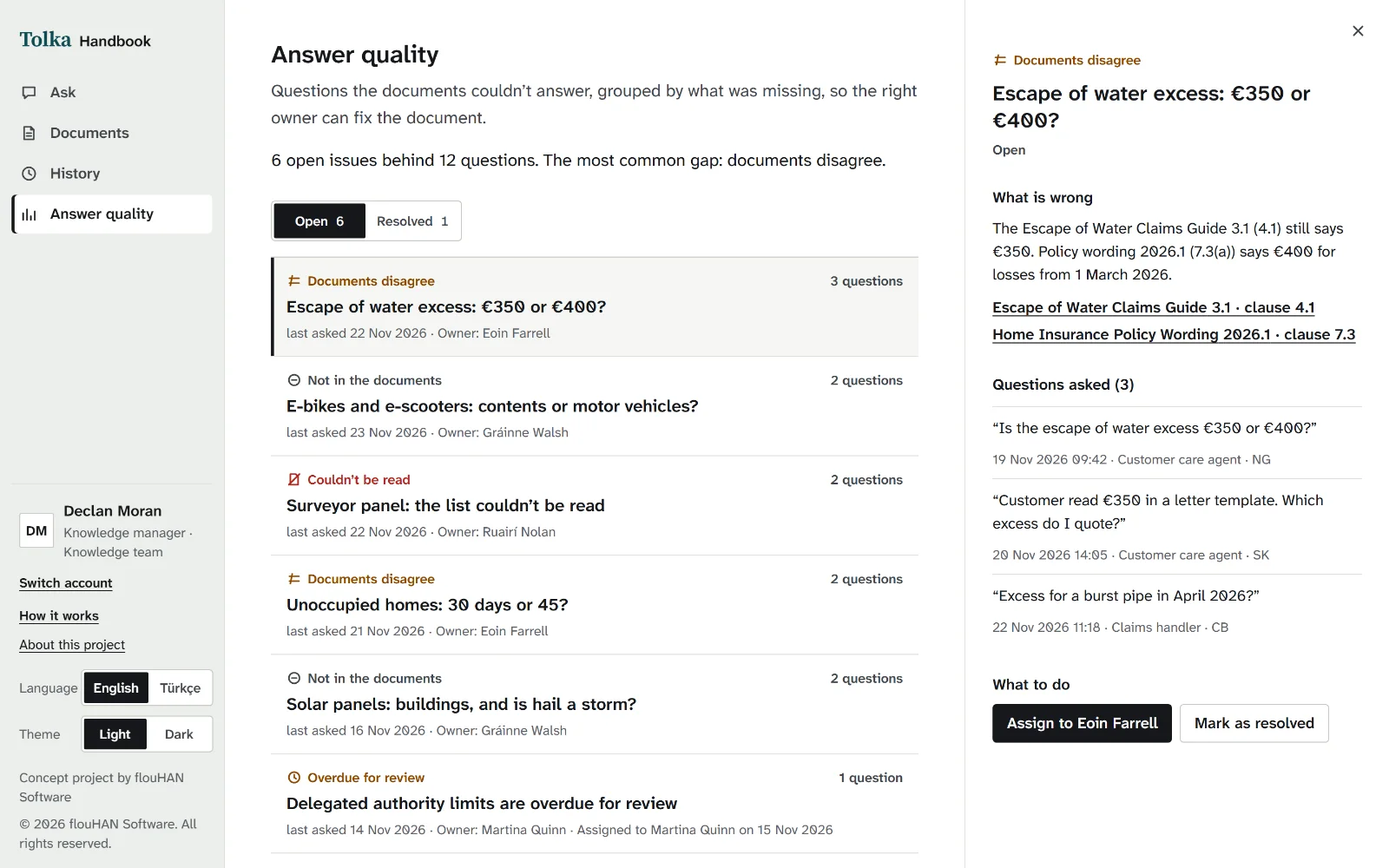
- When documents disagree, the answer says so. The claims guide says €350 and the policy says €400, so the answer gives both figures with their sources. Which document wins is the insurer’s rule, set up in the assistant: the policy wording comes before guides. The Knowledge team sees the same conflict on the Answer quality screen and assigns it to the guide’s owner.
- A date of loss can be added to the question. Policy wording 2026.1 came into force on 1 March 2026; for an earlier loss the answer comes from the 2024.2 wording and says why.
- Each role sees different documents. Search only runs over what the person can open, and a document they can’t open is never named in an answer. Before the model runs, the server checks again: every passage has to match its document word for word, and the role has to be allowed to open it. Above each answer sits the classification of its most restricted source.
- If the documents don’t cover a question, the assistant doesn’t guess. It says so and offers to pass the question to the Knowledge team, where questions are grouped by what was missing: documents that disagree, something no document covers, an out-of-date document, a file that couldn’t be read, or an answer that didn’t help.
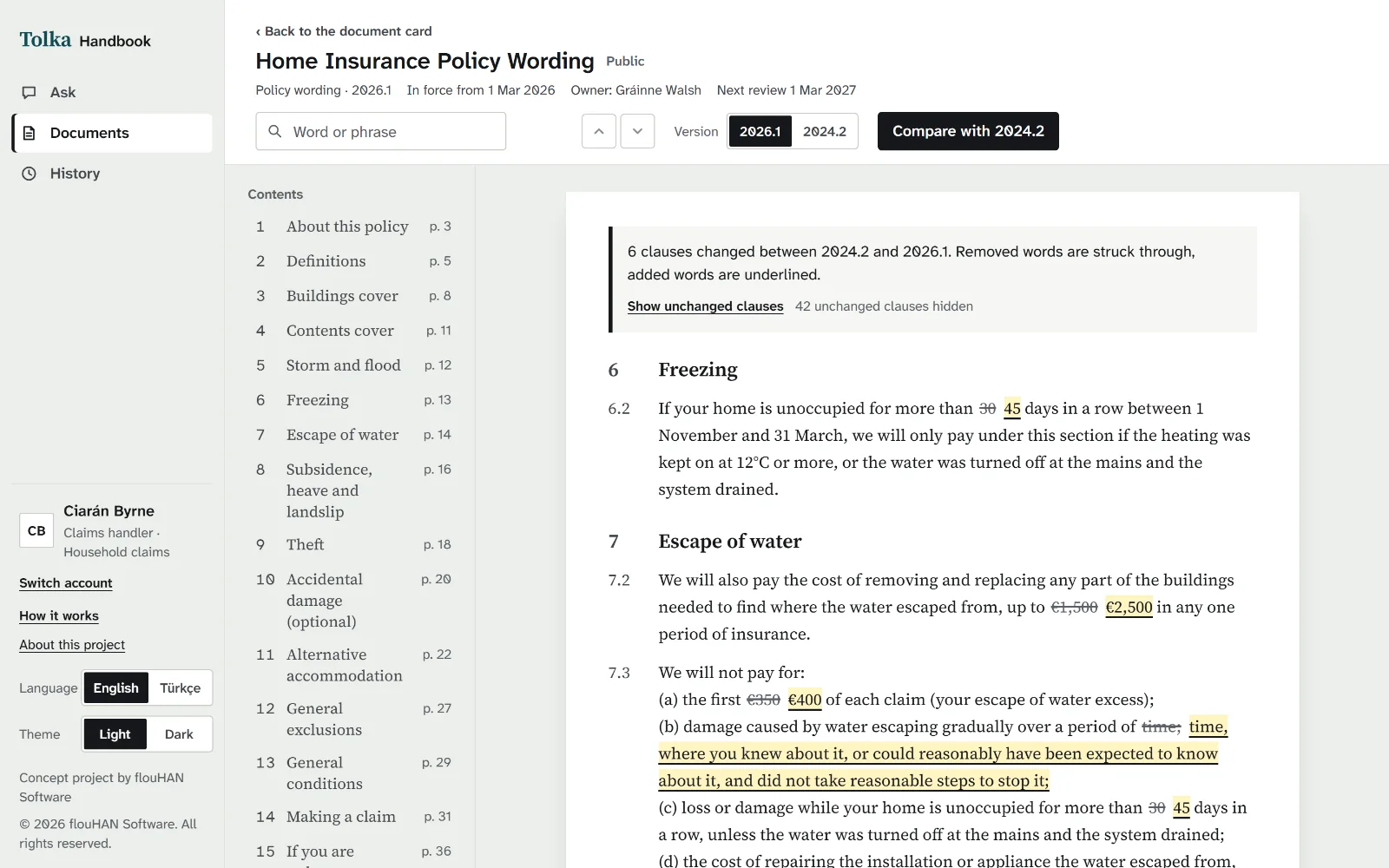
- Every document has an owner, a review date and a version history. An overdue review is flagged in the list and carries a warning into any answer that cites it. Two versions can be compared word for word.
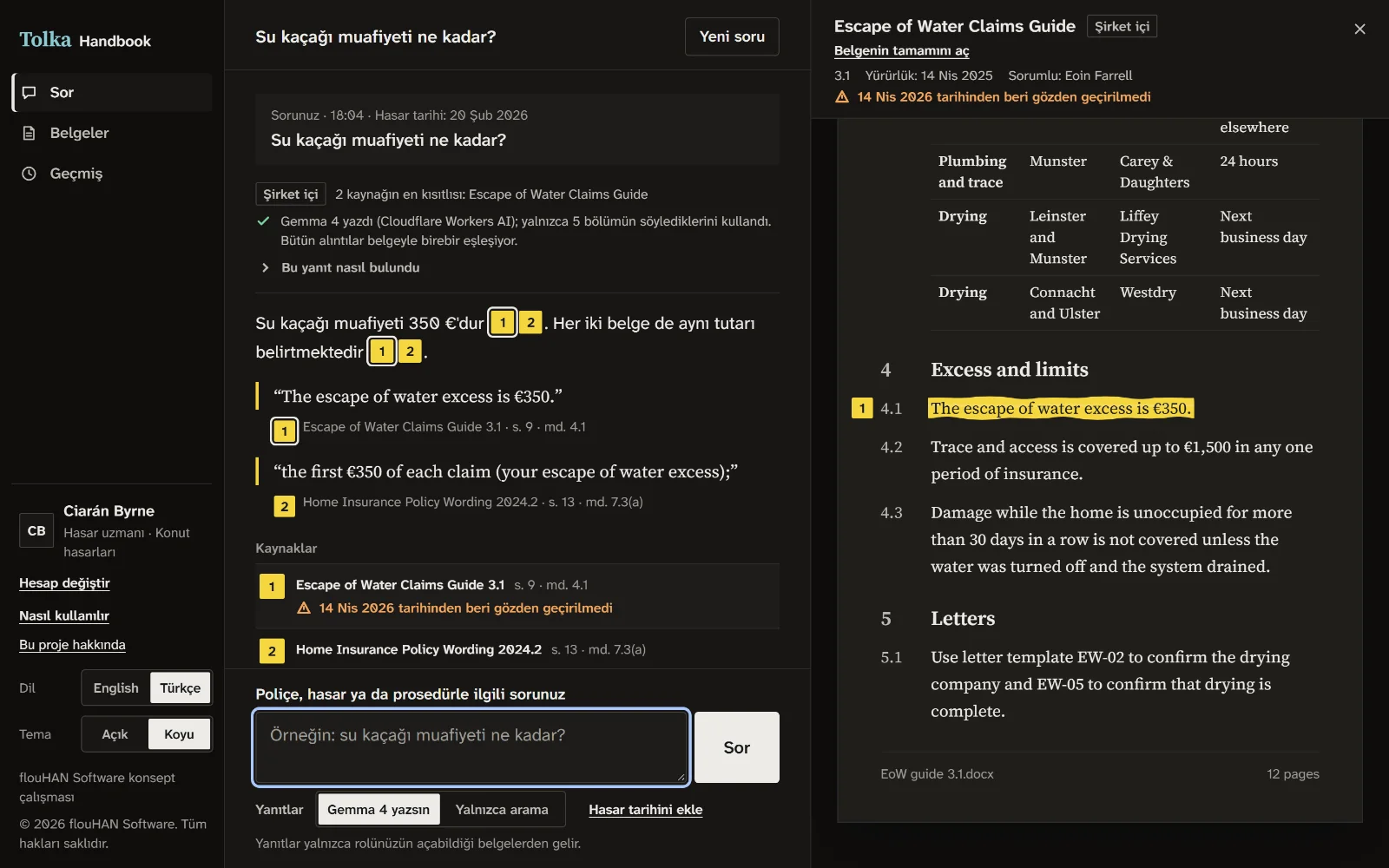
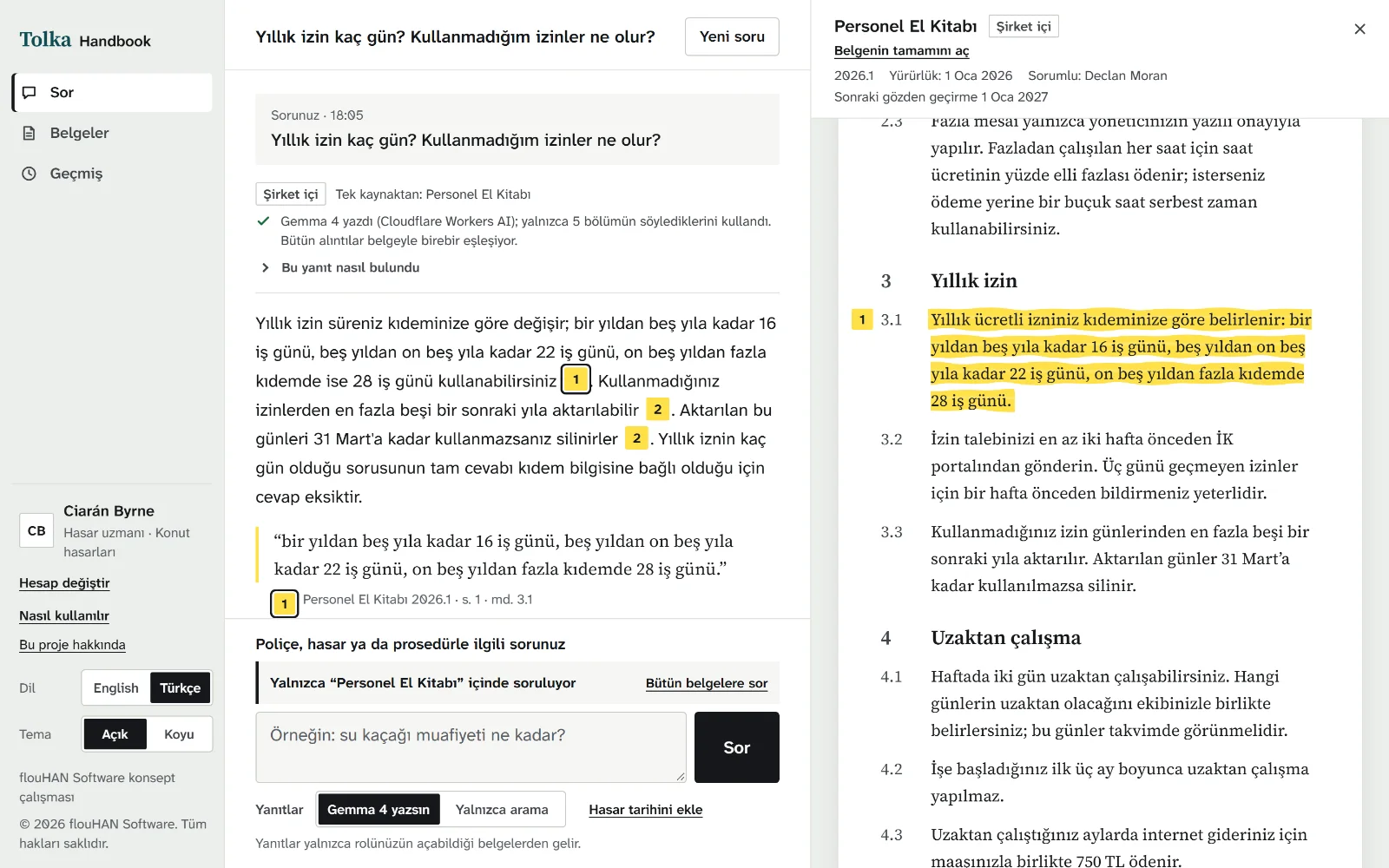
- The documents are in English, but a question can be asked in Turkish. The answer comes back in Turkish, with quotes left in the document’s original English.
- The typeface is Atkinson Hyperlegible Next, drawn for readers with low vision. It keeps 1 apart from l and 0 apart from O, which matters when you’re reading policy and claim numbers.
- While the Ask screen is empty, the documents your role can open lie on the desk like papers. Pick one and the question goes to that document only.
- On the first visit a short guide explains what each screen is for and which questions to try first. It can be opened again from the menu. The interface is in English and Turkish, with a light and a dark theme.
Result
A demo that runs in the browser and can be used end to end. There are four demo accounts: a customer care agent, a claims handler, a fraud investigator and a knowledge manager. None of them needs a password, and they get different answers to the same question; the fraud indicators, for one, are open only to the investigator.
Answers are written by Gemma 4, Google’s open model, running on Cloudflare Workers AI. Before choosing it, four models were given the same six questions. Gemma 4 was plain about where the documents stopped, and used about a third of the quota the others needed.
The demo runs on the free allowance, with a daily cap and a limit per person. When the cap is reached or the connection drops, it switches to search in the browser and says so on screen. In that mode nothing is written for you; you get the passages closest to your question.
From the Ask screen you can add a PDF or Word file of your own and ask only that document. It is read in the browser and kept in that browser, and only the relevant passages go to the model when you ask something. It can be in Turkish, too: a made-up company’s staff handbook in Turkish is there as a sample. A scanned, password-protected or empty file gets its own explanation of what went wrong.
Search was measured on an archive grown to 50,220 passages (the 11 documents copied 180 times): each question takes about 36 ms by wording and 45 ms by meaning. Past that size the vectors would move from the browser to an index on the server.
Every screen is checked automatically at 1440, 1024 and 375 pixels, in both languages and both themes, including against the WCAG 2.1 AA accessibility rules. The checks also test the role limits: a claims handler who types in the address of the fraud indicators still can’t open it.
The source code, tests included, is on GitHub.
For your business
The organisation here is an insurer, but the same need turns up wherever work runs on documents: a law firm’s contracts and precedents, a hospital’s clinical procedures, a bank’s compliance manuals, maintenance handbooks on a factory floor, a software company’s support docs. It can be one person, too, such as a researcher who wants to search their own papers and notes and see which page each answer came from.
What carries over from this demo:
- Answers written only from your documents, with a source behind every sentence.
- Documents that open according to the reader’s role.
- A library that knows versions and effective dates.
- Questions the documents can’t answer reaching the people who own them.
- Always being able to see who wrote the answer: the model or the search.
The structure is the same for a handbook of a few dozen documents and for an archive of tens of thousands. What changes is the number of documents, the systems it connects to (SharePoint, Google Drive, Confluence, company sign-in), the search infrastructure behind it and where the model runs. If your documents must not leave the company, the model can run on your own servers.